


Product description
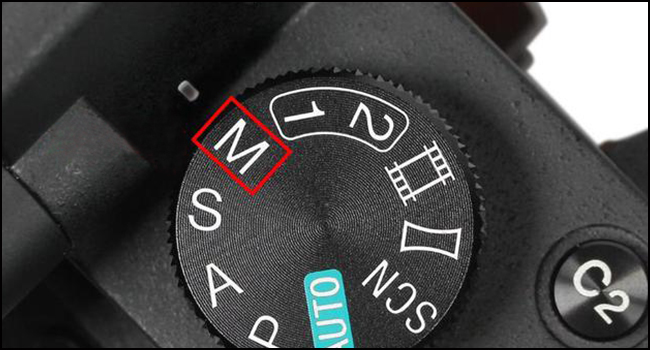
Use in M Mode
When using a manual lens, the camera should be set to "M" manual mode.
Since manual lenses lack electronic contacts for lens recognition, the inability to automatically adjust exposure values may result in photos that are too dark or too white.
Manual setting of ISO and shutter speed is required.
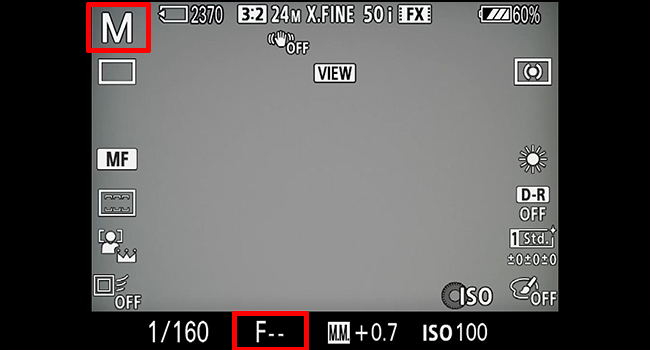
F-- Display
Manual lenses do not have an electronic contact, "F--" is displayed because the camera is unable to acquire aperture information.
At the same time, the aperture information cannot be adjusted from the camera, and the aperture value can only change automatically by adjusting the focal length.
How to use the manual lens?
Enable "Release w/o Lens"
- You can not press the shutter after attaching (An error page display). To resolve this, enable "Release w/o Lens".
- Tips to use our Manual Lens: 1) Set the Release w/o Lens option in the camera menu to Enable. 2) Set the mode dial to Manual (M).
- Note that the aperture value will not be displayed (it will show "F--"). The aperture can only change automatically by adjusting the focal length, for example: 420mm/F8.3 → 500mm/F10 → 600mm/F12 → 700mm/F14 → 800mm/F16.


